Scanning Services for Microsoft SharePoint and Office 365
Transform your paper archives into searchable digital format with our specialist SharePoint document scanning service.

SharePoint Tailored Scanning Service
We transform your physical archives into searchable digital assets with a comprehensive end-to-end service that migrates documents directly into your SharePoint environment. From document preparation and high-quality scanning through to metadata capture and final upload – we manage the entire digitisation process. Your team receives a fully indexed digital library without the burden of managing scanning or data uploads.
- Support for All Versions of SharePoint: Whether you’re using historic local versions or the latest Office 365, our service is compatible.
- Custom Metadata Creation: Tailored metadata tags for enhanced document organisation and searchability.
- Batch File Creation: For efficient bulk uploads and imports, streamlining the digitisation process.
- OCR Processing: Every document undergoes OCR (Optical Character Recognition) processing, making PDFs fully text-searchable.
Expertise You Can Trust
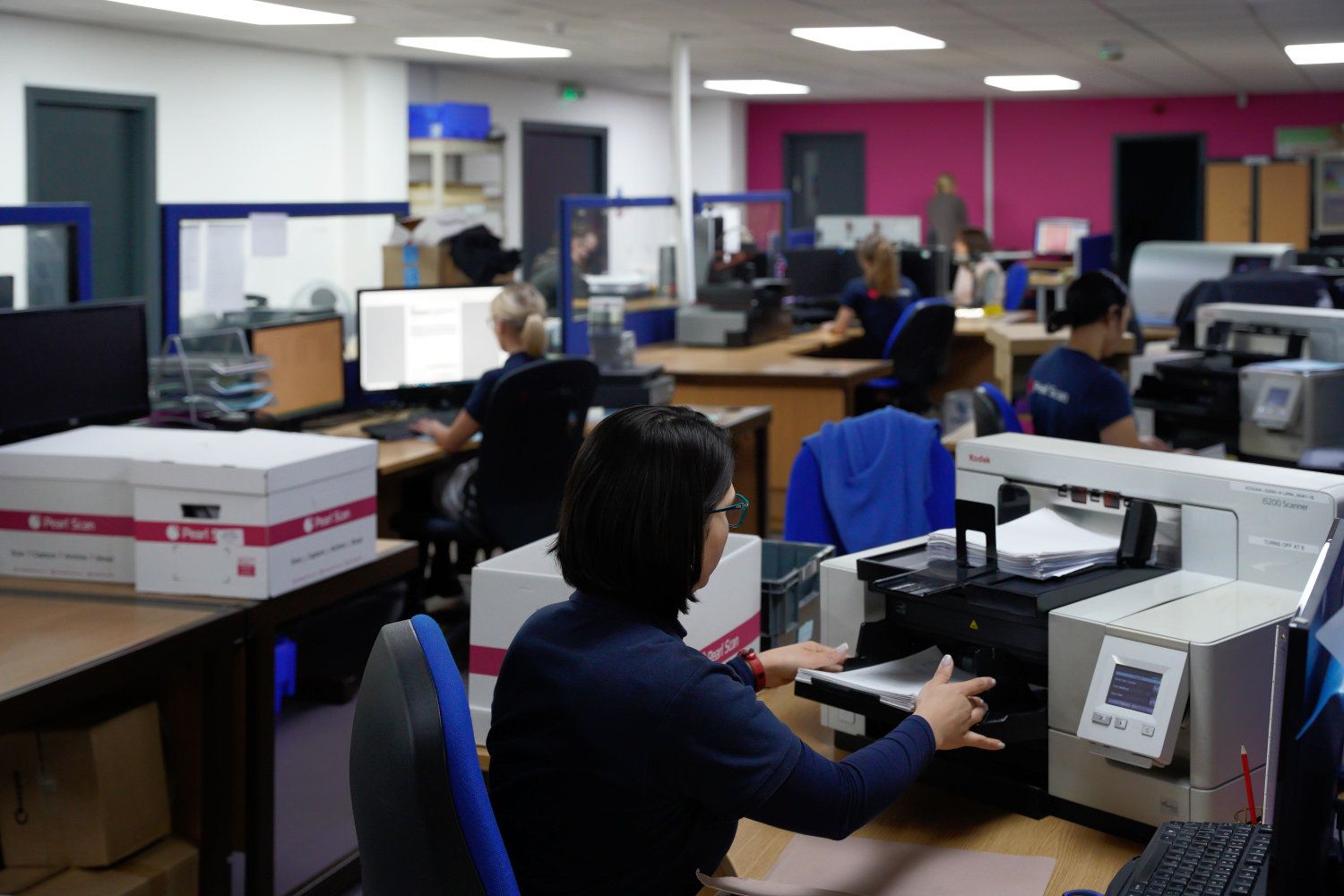
We’ve digitised millions of documents for organisations across every sector imaginable, from multinational corporations to growing SMEs and UK Public Sector. This isn’t a sideline service for us; SharePoint document scanning is what we do, day in, day out. That focused expertise means we’ve encountered and solved virtually every challenge that can arise during large-scale scanning projects.
Whether you’re running SharePoint Online as part of Office 365 or maintaining an on-premises installation, we’ve worked with it. Every version, every configuration, every quirk, we’ve handled it. This depth of knowledge ensures your scanned documents integrate perfectly with your existing setup, complete with the folder structures, metadata fields, and full text OCR searchable PDF files.
End-to-End SharePoint Scanning Solution Comprehensive scanning services tailored for your SharePoint environment
We Handle Everything
Each scanning project begins with a detailed assessment of your requirements. We evaluate document condition, volume, required metadata structure, and your preferred organisational framework within SharePoint. This preparatory phase ensures the scanning process aligns precisely with your operational needs.
We operate a stringent quality control framework designed to guarantee the integrity of your data. Our multi-stage review process verifies:
-
Image Clarity: Ensuring every scan is of high image resolution and legible.
-
Page Sequencing: Maintaining the correct document order of multi-page documents.
-
Data Capture: Confirming no pages are missed during the feed.
OCR Processing
We don’t just scan images; we make your data usable. A fundamental component of our service is Optical Character Recognition (OCR), which converts every scanned document into a fully text-searchable PDF.
This allows your team to pinpoint specific information, such as contract clauses, invoice numbers, or client names, using SharePoint’s native search bar, rather than relying on guesswork or manual browsing.
-
High Precision: Our professional-grade OCR engines achieve 98%+ accuracy rates for printed text across diverse document types.
-
Efficiency Gains: OCR technology increases data retrieval speeds by 20% and reduces document search times by up to 40% for legal and administrative professionals.
Document Structuring
We move away from basic “digital dumping” by collaborating with you to design a bespoke metadata framework. This ensures your digital library mirrors your operational needs.
We systematically index, tag, and build metadata during the scanning process with data retrieval fields relevant to your business, such as:
-
Document Type (e.g., Invoice, Contract, Drawing, Plan)
-
Project Codes or Client References
-
Department or Date Ranges
Seamless SharePoint Upload
Our technical team manages the complete upload process to your SharePoint environment, replicating your preferred folder structures and applying metadata with required validation to improve data accuracy. Using our custom-built bulk upload tools developed specifically for SharePoint, we process even large-volume archives efficiently without compromising accuracy.
With over 13,000 UK organisations utilising SharePoint to drive collaboration, correct implementation is vital. Properly digitised and organised data unlocks SharePoint’s potential to speed up decision-making processes and reduce internal email traffic.
-
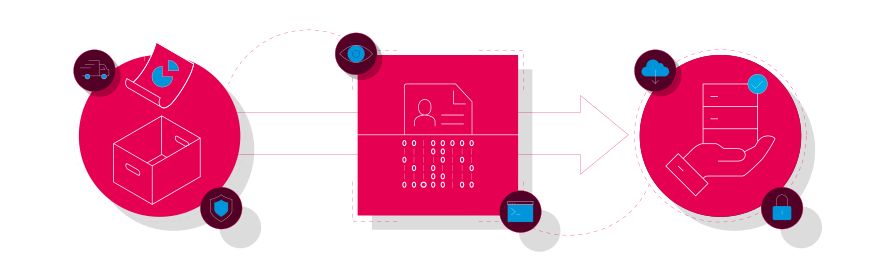
Collection
We arrange secure document collection from anywhere in the UK, typically within 24 hours. We can supply storage boxes and help you remove, box and inventory your files, so the handover is straightforward and fully tracked.
-
Digitisation
We scan and digitise documents of all types and sizes, converting them to the digital format of your choice - PDF, searchable PDF (with OCR) and TIFF, etc. - to BS10008 standards.
-
Delivery
We deliver your digitised records on the secure medium of your choice - encrypted USB, secure FTP, or uploaded directly into Pearl Cloud, SharePoint or any other document management system.
Document Categories and Applications Specialist scanning services across all document types and business sectors
Financial Records
We regularly process invoices, purchase orders, receipts, bank statements, and financial reports spanning multiple years. These documents receive specific metadata—supplier names, invoice numbers, dates, and amounts to facilitate efficient retrieval and audit processes. The digitised records integrate with SharePoint’s access control features, enabling appropriate segregation of duties whilst maintaining necessary audit trails for compliance.
Personnel Files
HR files typically contain diverse document types such as application forms, contracts, training certificates, performance documentation, and correspondence. We maintain complete organisation and apply metadata that facilitates HR administration whilst SharePoint’s security features enable appropriate access controls for sensitive information.
Legal Documentation
Legal documents demand particular attention to accuracy and completeness. We scan legal archives, active case files, contracts, correspondence, and court documents, ensuring no pages are missed and all text remains clearly legible. The resulting digital files maintain the integrity required for legal purposes whilst providing the searchability necessary for efficient case management.
Technical Documentation
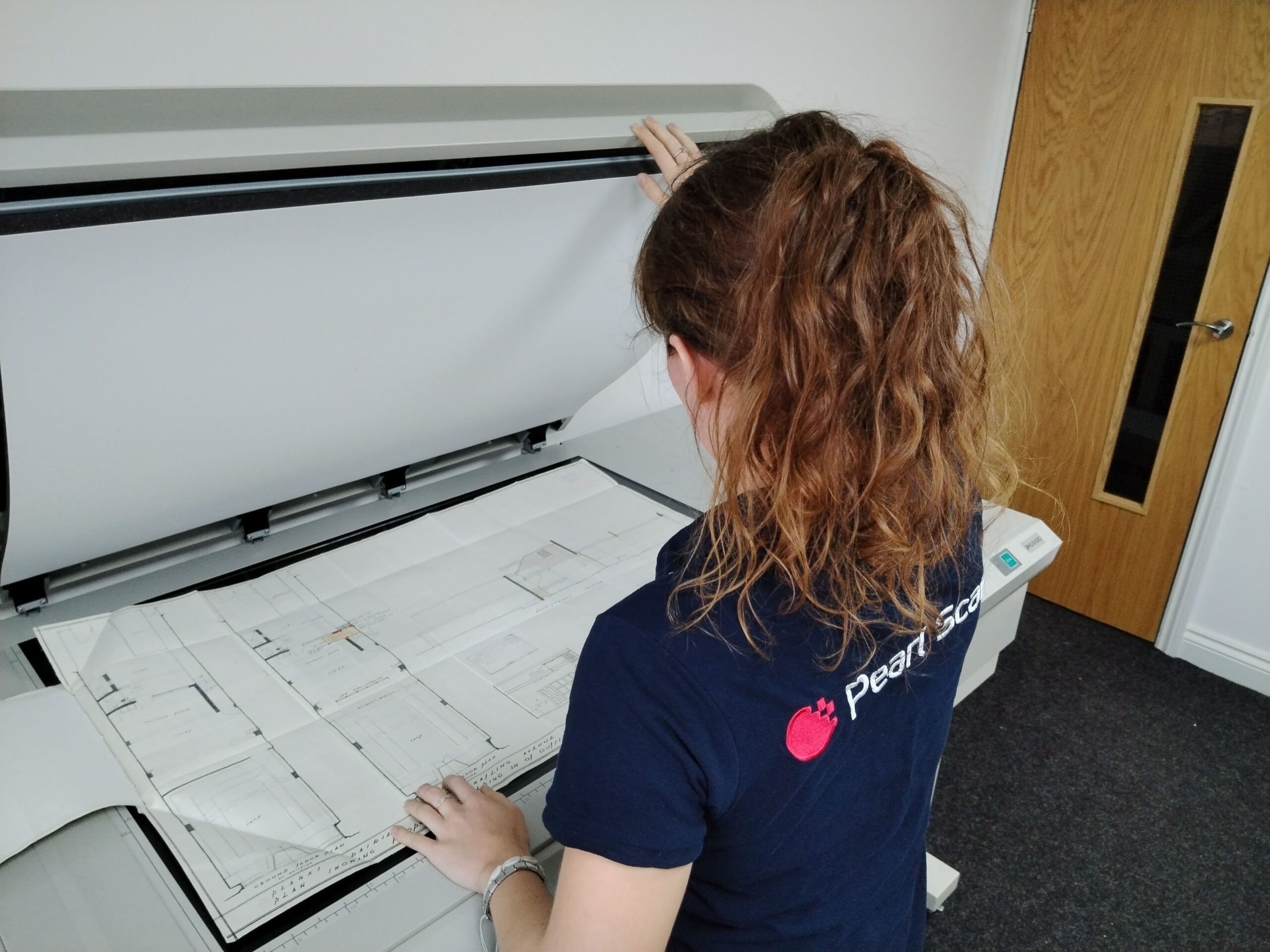
Technical drawings, engineering specifications, and maintenance records often exist in non-standard formats or sizes. We maintain specialist large-format scanning equipment ranging from feed-scanning to large/wide format flatbed scanners and have extensive experience digitising technical materials for engineering, construction, and manufacturing organisations.
Healthcare Documentation
We process patient files, clinical correspondence, test results, and administrative documentation, accommodating mixed document types, handwritten notes, diverse sizes, and strict confidentiality requirements. Appropriate security measures are applied throughout the scanning process to meet healthcare sector standards, compliance and data security frameworks.
Historical Archives
Older and Archive documents often require careful handling due to paper degradation, fading, or physical damage. We routinely digitise historical materials dating back decades for both Public and Private Sector organisations, including archived correspondence, legacy business records, property deeds, and institutional documentation.